
Sportzfy Overview
Sportzfy APK is an application for Android smartphones that is designed for those people who like sports, TV, and entertainment programs. This application unites in one platform several types of channels, thus allowing one to browse the offered material without installing several applications. The last updated version of the application is Sportzfy v32.0 and it comes with the TV mode and remote control for channel browsing. If you would like to install the Sportzfy APK for Android, then you will find all information here.
What Is Sportzfy APK?
Sportzfy is an Android app that belongs to sports channels and entertainment channels as well. This app has been developed to help users get their hands on sports, news, movies and TV channels from one single interface. The TV mode option of the application has made it easier for the users to navigate on large screen devices as well. However, it should be noted that there might be changes in channels and playing options based on the app version being used.
Sportzfy APK Information
Before downloading the Sportzfy app, check the following details to understand its basic requirements.
| App Information | Details |
| App Name | Sportzfy APK |
| Latest Listed Version | v32.0 |
| Category | Sports and Entertainment |
| File Format | APK |
| APK Size | 26.4 MB (listed build; verify the file) |
| Android Requirement | Android 5.0 or above |
| Developer | Sportzfy Team (as listed) |
| Price | Free to download |
| TV Support | Compatible Android TV devices, depending on the build |
| PC Support | Through a compatible Android emulator |
| Latest Version Year | 2026 |
Features of Sportzfy APK
Live Sports Channels
Sportzfy APK will appeal to those who love different sports and want to watch them on one channel. It is possible to find numerous sports channels that broadcast cricket games, football tournaments and other sports-related activities. In addition, the presence of various sports categories will simplify the process of finding live streams. However, there might be certain limitations depending on the current version of the app and the sources of broadcasting.
500+ Live TV Channels
Sportzfy has been presented in some reviews as an application with more than 500 channels belonging to various categories. These may involve sports, news, movies, entertainment channels and even content for children. Thus, one will not need to switch to another app in order to watch something else. However, the total number of channels can differ and should be checked in advance.
TV Mode
TV mode is created with the intention of making the app suitable for usage with Android TV devices. Large screen format will allow browsing the channels and categories from the viewing distance. In addition, this option is especially useful for those people who prefer to watch videos on TV set, rather than on mobile phone.
Remote Control Navigation
The mentioned Sportzfy features involve remote navigation for compatible devices. In such a way, viewers can move between the menus and change channels without pressing the screen of their smartphone. Thus, navigating may be more comfortable if using the application on a TV. Nevertheless, support of remote control can differ in case of Android TV boxes and other streaming media.
Multi View Option
Some versions of the application involve Multi View option that allows users to watch several streams simultaneously. This may be interesting for sport fans as they can watch more than one sport event if there are several streams supported by the feature. The number of simultaneous streams depends on particular build and the device.
Variety of Content Categories
Sportzfy unites various content types in one application. Depending on the particular version of the app, viewers can watch sports, news, movies, entertainment and children channels. This diversity allows users to look through all kinds of the programs from one interface. Also, users may switch between content categories depending on their preferences without opening additional apps.
Easy to Navigate UI
It has been designed for the purpose of easy channel browsing. The categorization approach can prove to be quite beneficial in locating the available content without having to navigate through many menus. Further, an easy to navigate interface would prove helpful for people who have little knowledge of streaming via APK-based applications. The user experience may slightly differ due to updates to the app.
Multiple Streaming Source Availability
Some builds of Sportzfy provide alternatives for some channels’ streams. It could be helpful for users to have a choice in case of unavailability of a certain stream. However, there is no guarantee regarding the working of different sources. Various factors like internet connection speed, availability of the server, regional restrictions and other technical issues related to the stream can affect the user experience. It is essential to use lawful streaming sources only.
Android TV Compatibility
The application may be suitable for use on compatible Android TV devices if the installed build is suitable for the particular software and hardware of the television. The use of the TV mode and the navigation by the remote control might be handy while searching through the large screen. Note, however, that not all smart televisions are suitable for Android APK installation.
Updates and Improvement
Updates of Sportzfy can contain bug fixes, interface changes and other improvements. In some cases, updating can help solve problems of the previous versions. However, having a higher version number is not the proof that the file is legitimate and can be used without risks. Moreover, it is better to avoid applications that require the user to give additional permissions or turn off certain security features.
All Your Entertainment in One Place
One of the advantages of Sportzfy is that it enables the user to browse different categories of the content via one application. Fans of sports can find the required matches, while others will be able to search for news and entertainment channels.
Content Categories Available on Sportzfy
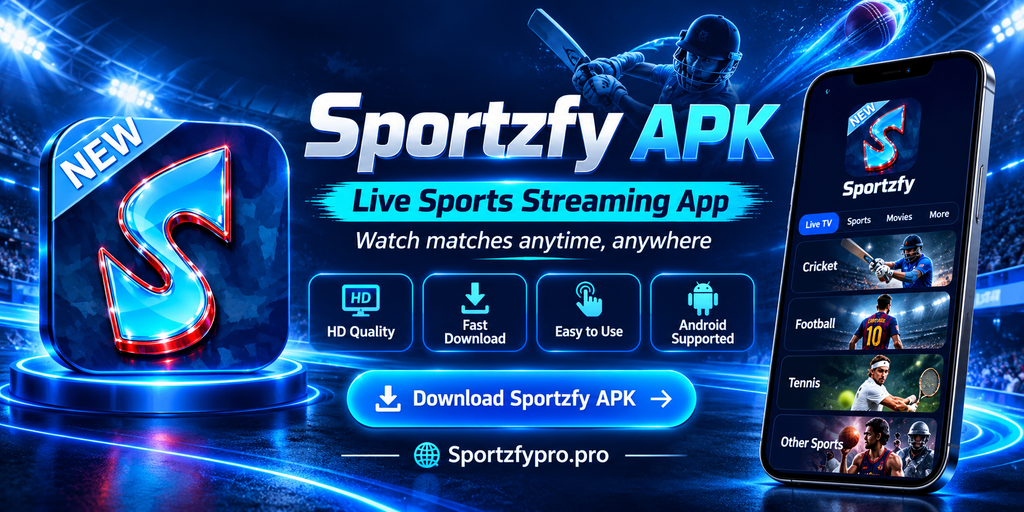
Different types of content are available on Sportzfy for users with diverse interests. Some of the content types available for the users depending on version and streams include sports, news, movies and entertainment channels.

Cricket
Those users who like cricket may choose to browse the available channels in the application. They can watch cricket matches and some other cricket-related programs.

Football
There are also channels providing football matches, tournaments and other related sports programs. Such channels can be used by those users who like football games.

Other Sports
Along with the cricket and football games, there may be channels with other sports available for users.

News
This category allows users to find channels with current news, headlines and other news programs.

Movies
Movie channels, which have various movies, can be seen by the user. The availability of the content might differ, therefore, all movies or channels might not be available.

Entertainment
The entertainment section might feature the channels that are related to general TV shows and entertainment. This enables users to view content other than sports and news.

Kid’s Content
In some cases, there might be channels that contain content meant for kids such as cartoons and others. Parents must ensure that the specific channel is kid-friendly before letting kids access it.
Live TV Channels
Sportzfy consolidates the channel categories to one place for easier viewing of the live TV channels from various applications. However, availability of channels and their viewing depend on the build.
Sportzfy APK for Android
There are some additional steps required when downloading an APK than those of installing an app from the Google Play Store. Be sure to follow the steps below.
- Access a trusted website that offers verified Sportzfy release details.
- Be sure the downloaded file is named as either Sportzfy v32.0 or the new one which you would like to install.
- Ensure that the size of the APK and the Android requirements match the release details provided.
- Click on the download button and let the APK download process be completed.
- Access the Downloads folder to access the downloaded file.
How to Use Sportzfy on Android TV
Sportzfy might be compatible with some Android TV models depending on whether the APK can run on your specific TV model and Android version. In order to use Sportzfy on your TV, you need to do the following.
- Make sure your TV is running a compatible version of Android OS.
- Download the required APK from a reliable source.
- Copy the APK file onto your TV.
- Install it via the compatible file manager.
- Perform the installation procedure according to the instructions shown on screen.
- Run the app and navigate through its menus via the TV remote.
TV-specific functions and remote control might facilitate navigating through Sportzfy content. Unfortunately, there is no guarantee that Sportzfy will work with any TV box or Fire TV.
Is It Possible to Play Sportzfy via PC?
It is possible to run the Android version of Sportzfy on a PC via an Android emulator, which creates an Android environment on your PC.
Start with installing an emulator from its legitimate developer first. Second, ensure compatibility between the emulator and your PC hardware. Third, find a legitimate Sportzfy APK and install it within the emulator, provided that it is capable of installing APK files.
The performance of Sportzfy depends on your PC hardware, the configuration of the emulator, your internet speed and the version of the game. Moreover, keep in mind that Sportzfy is not a native application for your PC unless otherwise stated.
Sportzfy APK vs Other Sports Apps
Different sports apps offer different features, so the best choice depends on what you need.
| Feature | Sportzfy APK | Other Sports Apps |
| Main Purpose | Sports and other channel categories | Varies by app |
| Installation | APK on compatible Android devices | Play Store, App Store, or other methods |
| TV Mode | Included in the listed v32.0 release | Depends on the app |
| Remote Navigation | Available in the listed build | Depends on the app |
| Channel Selection | Depends on the available sources | Depends on the service |
| Availability | May vary by region and build | Depends on the provider |
Advantages and Disadvantages
Advantages
- Provides different categories of channels under one application.
- The given v32.0 version has an option for TV mode.
- It has remote-based channel switching facility.
- It is free to download according to the listing.
- The use of Android Emulator is possible on compatible PC.
Disadvantages
- The authenticity of the particular APK file might not be easy to verify.
- The availability of the channels can be altered.
- Some channels might not work properly or may have buffering problem.
- The direct installation on iPhone or iPad is not possible using APK.
- There are compatibility issues on Android TV and streaming device.
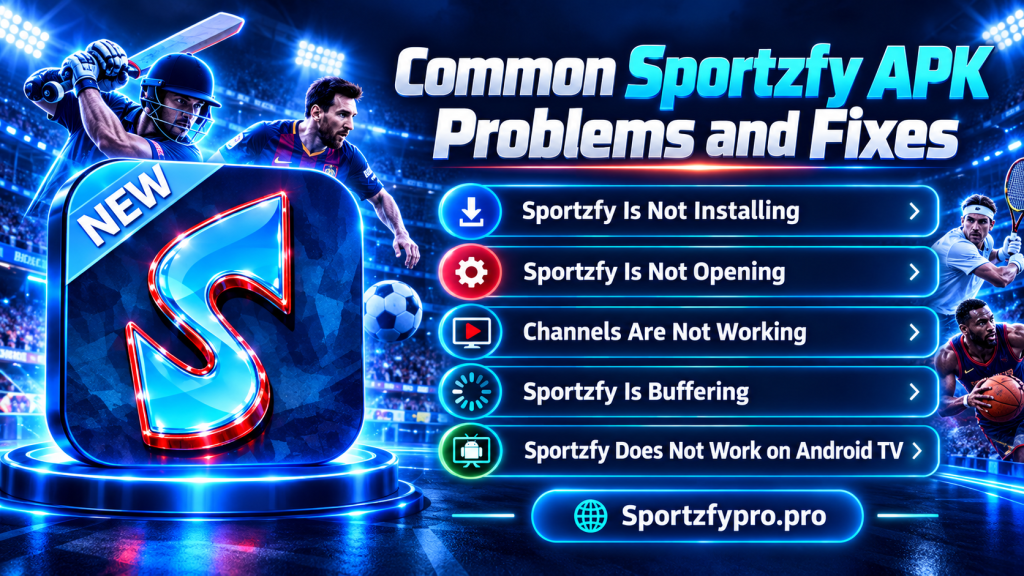
Common Sportzfy APK Problems and Fixes
Sportzfy Is Not Installing
Make sure your Android system complies with the requirements and you have sufficient free space on your device. Moreover, make sure the downloaded file is complete and it is indeed an APK file.
Sportzfy Is Not Opening
Reboot your device and try running the app. In case the issue persists, the build could be incompatible or damaged. Do not download a new one from an unreliable location.
Channels Are Not Working
The cause of the problem might be a malfunctioning stream, geographical limitations, server issues, or changes to the streaming source. Try again later and use legitimate services in case the stream does not work.
Sportzfy Is Buffering
Buffering might happen due to a poor connection. Use a reliable Wi-Fi network and minimize other activities that consume network resources. Nevertheless, buffering related to an unworking streaming source cannot be fixed in such a way.
Sportzfy Does Not Work on Android TV
Find out the version of Android your TV uses to check if the application is compatible with your device. Moreover, try navigating via remote control to ensure compatibility of the APK file.
Security and Privacy in Sportzfy APK
It is imperative to assess the source and the permissions being sought by the Sportzfy app before installation. APKs that are not available through the established market places pose extra risks, especially in cases where they lack verification either from their publishers or signature.
Download the app only if you have enough information about it. In addition, you should avoid giving too much personal information, install extra applications that are suggested by unknown websites, or ignore Android security alerts. Always consider using licensed sports streams, especially for paid events.
Best Sportzfy Alternatives

Cricfy TV
Cricfy TV is one of the apps connected with sports broadcasting, namely cricket. The app might be interesting for users who are ready to try to watch cricket matches as well as other sports-related videos. At the same time, channel selection and streaming quality cannot be guaranteed.

HD Streamz
HD Streamz is an app famous for providing live broadcasts of various TV channels. According to the app version, users may choose different channel categories such as sports, news and others. Some streams might not work and users need to be sure about the app origin before downloading it.

Tapmad
Tapmad is a streaming platform providing users with sports and entertainment content according to the selected country of residence. Users who are interested in using a service with specific channels and subscription packages might be attracted to this app. Moreover, available devices and sports differ by region.

Tamasha
Tamasha is one of the Pakistani streaming platforms providing its audience with live broadcasting and entertainment content with available sports programs. Users may use the app to choose their channels. At the same time, matches and channels depend on broadcasting agreements.

Sony LIV
Sony LIV is an online video platform that provides entertainment and sports channels in its supported geographical areas, especially India. Based on the existing licensing and subscriptions, viewers might enjoy certain sporting matches, programs, etc. Take into account the availability in your region and necessary subscription plans before deciding to use it as an alternative to Sportzfy.
Frequently Asked Questions (FAQs)
Final Thoughts
An alternative app which would allow you to watch different channels on your Android device is called Sportzfy APK v32.0. This app could also be handy due to its mentioned TV mode and remote control functions. Nonetheless, the list of features provided by the application can change and not all APK files available online can be trusted. Thus, prior to downloading this app, you should check what version you will download and whether it is safe and compatible with your device.